
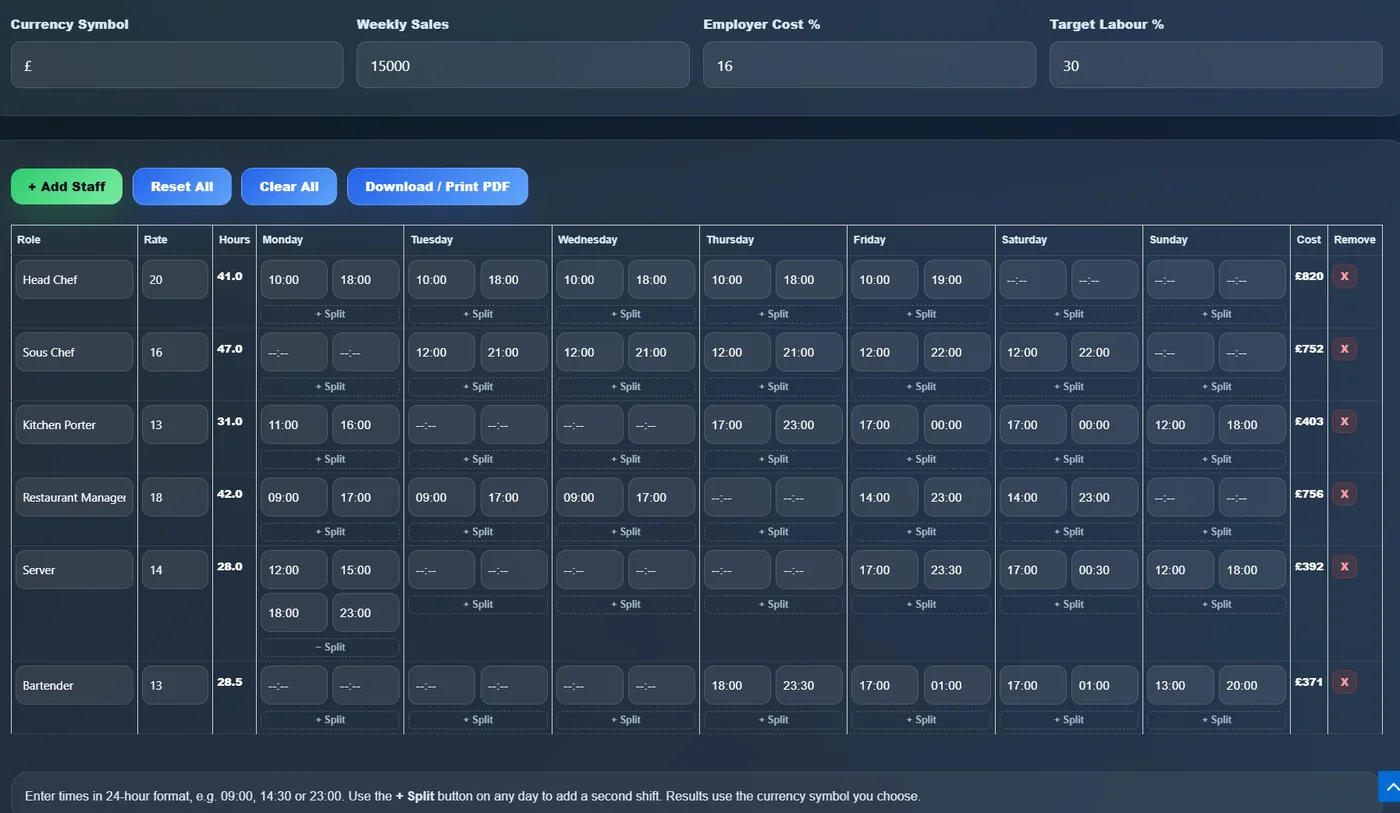
Plan the weekly staff schedule
Add roles, hourly rates, shift times and split shifts to calculate planned hours, staff cost and labour percentage before the rota is published.
This restaurant labour cost calculator and staff schedule planner helps you build a weekly rota or staff schedule with real start and finish times, including split shifts, then automatically calculate labour cost, labour percentage, daily hours, employer cost and sales per labour hour.
Use this calculator in any currency. Enter your own sales, hourly rates, employer costs and payroll assumptions. "Rota" is a UK term for staff schedule, and the same labour cost logic applies in other markets.
| Role | Rate | Hours | Monday | Tuesday | Wednesday | Thursday | Friday | Saturday | Sunday | Cost | Remove |
|---|
Enter times in 24-hour format, e.g. 09:00, 14:30 or 23:00. Use the + Split button on any day to add a second shift. Results use the currency symbol you choose.
This restaurant labour cost calculator helps you plan weekly shifts, estimate total labour cost, compare labour percentage against your target and generate a clean printable staff schedule for your team.
Add roles, hourly rates, shift times and split shifts to calculate planned hours, staff cost and labour percentage before the rota is published.
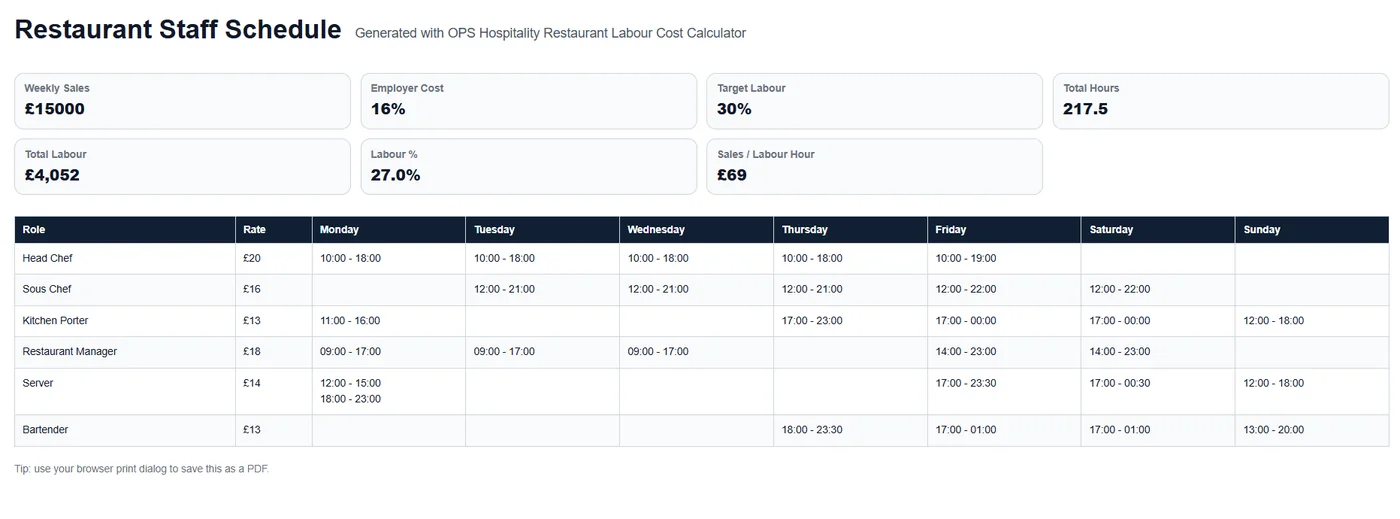
Use the print view to create a clean restaurant staff schedule with weekly sales, total hours, labour cost, labour percentage and shifts by day.
This restaurant labour cost calculator helps restaurant managers build a weekly staff schedule and understand the labour cost impact before the rota is finalised. It supports real start and finish times, split shifts, hourly rates, employer costs and target labour percentage.
Instead of publishing a rota first and checking payroll later, managers can estimate labour hours, labour cost, labour percentage and sales per labour hour before the schedule goes live.
Add a second shift on any day with one click to handle real hospitality rota patterns.
Calculate base wages, employer cost, total labour and monthly cost estimate.
See how much revenue your schedule generates per planned labour hour.
For broader labour planning guidance, read the Restaurant Labour Cost Guide.
Shift Hours: Finish Time − Start Time
Base Labour Cost: Total Hours × Hourly Rate
Employer Cost: Base Labour Cost × Employer Cost Percentage
Total Labour Cost: Base Labour Cost + Employer Cost
Labour Cost Percentage: Total Labour Cost ÷ Weekly Sales × 100
Sales Per Labour Hour: Weekly Sales ÷ Total Labour Hours
The calculator also estimates monthly labour cost by multiplying weekly labour cost by 4.33.
Labour cost is one of the largest controllable costs in hospitality. Once shifts have been worked, the cost is already committed.
For more on reducing labour pressure, read How to Reduce Restaurant Staffing Costs Without Hurting Service.
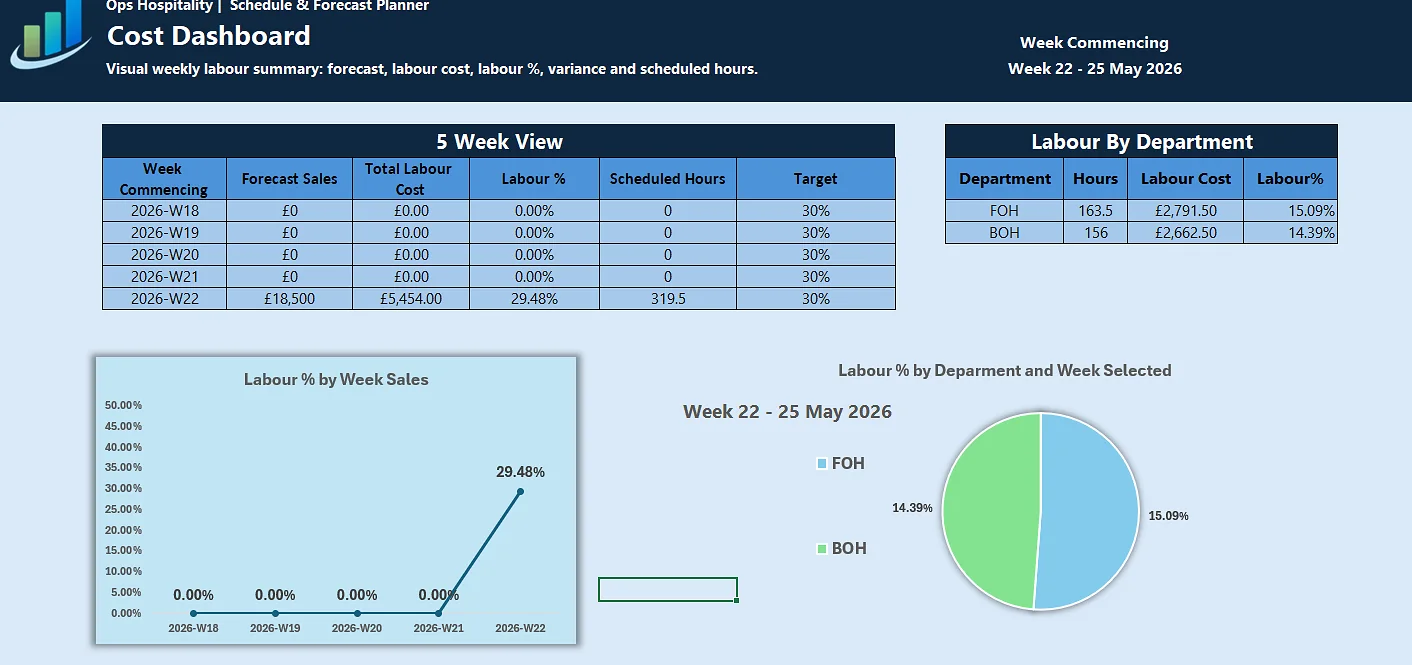
For a more structured weekly planning workflow, use the Schedule & Forecast Planner to connect forecast sales, staff schedules, scheduled hours and labour cost in Excel.
View Schedule PlannerLabour cost should be reviewed alongside food cost, prime cost and KPI performance so managers can see the full operational picture.
For a structured weekly operating routine, read the Weekly Restaurant Management Review Checklist and use this calculator to plan labour hours before shifts are worked.
Yes. Click the + Split button on any day to add a second shift. The button only appears when needed, keeping the interface clean.
If the finish time is earlier than the start time, the calculator treats the shift as crossing midnight and adds the correct hours.
Employer cost percentage represents extra employment costs on top of hourly wages, such as employer contributions, holiday cost, payroll tax, insurance or other payroll-related costs.
Yes. The Download / Print PDF button opens a printable staff schedule / rota that can be saved as a PDF using your browser print dialog.